


Marketing calendar 2026
You are not marketing your KAYAKOMAT alone. This calendar is here to support you and give you a strong starting point for your local marketing.
It shows you what to promote and when, helping you stay active, relevant, and consistent throughout the season. Think of it as a foundation: from there, you are encouraged to localise the content and build on it with your own ideas, based on your location, your target groups, your network, and your strengths.
This calendar will be updated along the season, but check out the first months already for a great start and to learn how it’s working.
You need to adapt this calendar to your own needs. Eg if you are open in March, and the “season opening -post” for social media in February you can just use it in March
Joining mid-season?
You can go through the full calendar any time of the year and eg do February tasks in June when apropiate.
Canva templates for social media calendar
To make execution easier, we provide ready-to-use Canva templates linked to many of the activities in the calendar. They allow you to create professional posts quickly, which you can then adapt with your own tone, images, and local touch. Choose your language below, or use English and translate in Canva.
We’ve added content for the first months of 2026 and will keep adding more!
JANUARY
Do you have a social media account for your Kayakomat? Wish your followers a happy new year, using our template or your own image.
FEBRUARY
On our website www.kayakomat.com there is a local subpage for each station. As an operator you should localize this to make it attractive and informative for customers, by using our template.
It is also important that you keep your opening dates updated. You already now set an opening date in a future month.
See our template and instructions here
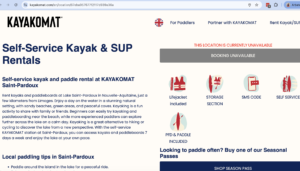
Update the text via the admin-page.
We list all stations on Google Maps, but you need to maintain your so called Google Business Profile.
Access you profile here . You can also reach it like this:
• Type your station name on Google
• Check that a profile appears on the right
• Click “Manage this profile”
• Check that you can edit the info, contact us if you do not have access or can not find your profile.
Contact us if you do not appear on Google Maps.
Make sure to be logged on with your personal google account and let us know if you need help.
Read more about your to monitor Google presence in our full guide here
Once you made sure you have access, make sure the following is up to date:
• Opening hours (even provisional)
• Simple description (2–3 sentences)
• Link to Kayakomat booking site
Read our full guide on Google here.
Start by identifying places near your station where your future customers already are.
How to do it:
• Open Google Maps around the station
• Note 5 places frequented by tourists or locals:
hotels, restaurants, campsites, bars, tourist offices
Read our full guide on partnerships here.
A quick look around can reveal great opportunities to reach more customers.
What to check:
• High-traffic areas
• Possible flyer spots
• Take 2–3 photos if useful
Each operator can order one free marketing pack per year from our shop (additional quantities at low cost).
What to do:
• Order your pack via the shop – link below. (New operators receive it with the station delivery)
• Optional: Use the digital versions to create local adaptations
• Print locally if you need wish locally adapted flyers/posters.
• Contact us for technical help if needed
Links:
→ Link to shop
→ Link to digital versions
👉 Mission: Use the Valentine’s Day templates in the Social Media Content Calendar to inspire couples and friends to share an experience on the water.
Highlight ideas like:
a romantic paddle for two
gifting a kayak experience instead of flowers
planning a future date on the water

🚀 Have 100% of your Google Business profile completed
Challenge is completed if:
• Opening hours are filled in
• Description is added
• At least 3 photos are visible on Google
MARCH
Local Facebook groups are an easy and free way to reach people who are already engaged in what’s happening in your area.
To do:
• Search for local Facebook groups and request to join (eg “What’s on in xxxx)
• Make a simple list of the groups you find
• Post regularly during the summer to promote your station. A personal and friendly message is better than something very commercial.
• If advertising isn’t allowed, share an event instead or ask a friend to recommend you
• Also look for interest-based groups (e.g. “kayaking in [your area]” or “students/expats in xxx”)
If you want to go further:
• Create your own Facebook or WhatsApp group for customers/potential customers
• Promote it in booking confirmations and on your website
• Consider collaborating with nearby operators in this
• Explore platforms like MeetUp, GoFriendly, outdoor apps, or newcomer groups
Get visible early and let people know they can already book the season ahead.
What to do:
• Use our Social Media Calendar templates (see link above the calendar)
• Write a short message announcing the opening date
• Mention your location and how to book
• Publish on your main social media channel and in Facebook groups
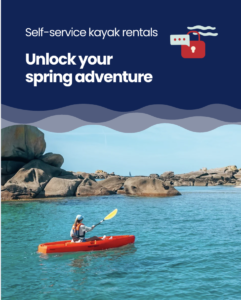
You don’t need formal partners – think of any place where your customers already go: hotels, cafés, campsites, shops, or the visitor center.
What to do:
• Visit 5 nearby places in person
• Present Kayakomat in one simple sentence
• Leave a few flyers in a visible spot
A partner can be any place where your potential customers already are: a hotel, school, large employer, gym, café, campsite, or activity center.
How to reach out:
• Send a short email
• Visit in person
• Call them directly
• Attach the partnership PDF from the Template Folder
What to propose:
• Cross-visibility (mention each other online or on site)
• Flyers at their location
• A simple promo code for their guests or members
Example message:
“Hi! I run the local KAYAKOMAT station and would love to explore a simple collaboration. We could leave flyers at your place and offer your guests a small discount code, and we’re happy to promote you on our channels in return. Would this be of interest?”
Read more about partnerships here →
Read more about partnerships here
🎯🚀 Reach 5 Google reviews
How to achieve it:
• Ask friends, family, or early visitors
• Short reviews are perfectly fine
APRIL
A dedicated promo code makes collaborations concrete and easy to follow up.
What to do:
• Create one simple promo code (e.g. PARTNER10)
• Share it with one local partner (eg a campsite next door)
• Ask the partner to mention it to their customers
• Track how many bookings use this code
• A promo code can also be general eg “preseason20” and spread at many places
See instructions on how to do it on this page
Local, authentic images make your social media feel real and personal.
Capture:
• Real usage
• Atmosphere
• Authentic details
It’s great to have your own local content to use throughout the season. You can also ask friends to take pictures or invite local micro-influencers to visit.
Enjoy a sunny day and paddle – kayaks on the water are the best kind of marketing.
Observe:
• Route understanding
• Friction points
• Real experience duration
It’s also a perfect opportunity to take photos and ask your friends to share on social media.
Extra tip:
Create a family & friends discount code they can use all summer long.
A short article or mention in local media can bring strong visibility right before the season starts.
What to do:
• Identify 2–3 local newspapers, radio stations, or blogs
• Use our media email templates and guide
• Send a short message about your station and opening
• Offer a simple story angle (new season, local tourism, family activity)
• Include 1–2 photos and your contact details
Tip:
Journalists prefer ready-made material – keep it short and easy to use.
Find the guide and press release template here
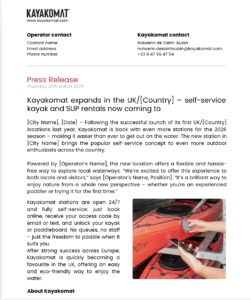
Easter is the perfect opportunity to encourage customers to get outdoors and enjoy kayaking or paddleboarding with family and friends 🌞.
👉 Mission: Use the Easter templates in the Social Media Content Calendar. Remember to add a link to our website when you post.
🎯🚀 Activate at least 1 local partnership
Examples:
• Flyers displayed at a partner location
• Partner verbally recommends your station
• Partner code is active
MAY
Get ahead and let everyone know that your KAYAKOMAT is open and the season is here!
What to do:
• Use the templates in the Social Media Content Calendar
• Publish on your main social media channel and local Facebook groups
• Include one photo of the station or river
• Write a short message announcing the opening
• Mention your location and how to book
Events create a reason to book now instead of “sometime later.” They help you stand out, reach new audiences, spark curiosity, and show that your station is more than just a kayak rack.
Keep it simple:
• Choose one simple idea (special day or offer)
• Pick one date or a short time window
• Make it visible on site and on social media
• No complex setup needed
You can choose to be present yourself, or simply create the event on Facebook and let people attend on their own.
Here is an example of how one operator did last year (use AI to translate)
Read our guide for organizing events here.
You are more than welcome to contact us for some more tips, or once you’ve created an event so we can share it in our socials.
Collaborating with local businesses helps you reach new audiences and shows that your station is part of the community.
How to do it:
• Choose one active local partner
• Post a photo or simple visual
• Mention the partner and tag them if possible
• Explain the benefit for customers (e.g., a student discount with a university partner)
See the Social Media Content Calendar templates for inspiration
Celebrate Labour Day with a peaceful escape on the water! 🚣♀️💼
👉 Mission: Share this message on your social media using the template posts in our social media content calendar.
Don’t forget to add a link to the booking site in your story/post or in your bio.
Mother’s Day & Fathers Day is a strong moments of the season for gift cards and family experiences- Encourage bookings and promote vouchers as an easy last-minute present!
👉 Mission: Share this message on your social media using the template posts in our social media content calendar.
📅 Dates:
- May 10 – Mother’s Day 🇩🇪🇫🇮
- May 14 – Father’s Day 🇩🇪
- May 31 – Mother’s Day 🇫🇷🇸🇪
- June 21 – Father’s Day🇬🇧
Pentecost is a popular holiday for short trips and outdoor activities – a great moment to remind customers that paddling is an easy getaway.
What to do:
Use the Pentecost posts in the Social Media Content Calendar
Highlight the long weekend and spontaneous day trips
Promote family or group paddling
Add your booking link to posts, stories, and bio
Angle to emphasize:
Extra day off + easy self-service = perfect for a last-minute adventure.
🎯🚀 Publish 3 visible pieces of content
What counts as content:
• 1 “Season is open” post
• 1 new photo added on Google
• 1 partner or event mention
JUNE
Answering reviews shows that you care about your customers and helps build trust for future guests.
What to do:
• Open your Google Business profile
• Read all new reviews
• Thank the customer by name if possible
• For negative reviews: stay professional
• Reply in 1–2 short sentences
This should be done regularly throughout the season – consider this a reminder to catch up!
Read our full Google guide for more instructions
Consistency is key! Keep posting a lot in social media trough out the summer.
• Take a simple photo (station, river, people using the kayak)
• Write a short caption (1–2 sentences)
• Mention availability or current conditions
• Post on the main social channel you use and in Facebook group
• Repeat once per week
• Use our social media content calendar for inspiration
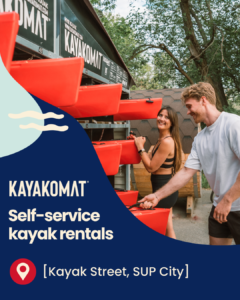
Group bookings can fill weekday slots and bring many first-time paddlers to your station.
How to do it:
• Identify at least one local company, school, or association
• Send a short message or call directly
• Propose a simple group booking
• Mention availability during weekdays
Please see our “template section” if you want to download a ready made PDF explaining the concept. You can include this in your email/message.
You can also read our guide to group bookings here
A simple, clear offer can give hesitant customers a reason to book now. It also gives you a good reason to post in local Facebook groups. Even if someone doesn’t book today, it’s a great reminder that Kayakomat exists.
How to do it:
• Choose one simple offer (weekday, group, or family)
• Define a clear condition (date, group size, or discount)
• Make the offer visible (on site, social media, or via partners)
• Keep it easy to understand
Read how to create an offer in admin page in this manual
Midsummer is one of the biggest holidays of the year and a great opportunity to reach both locals and visitors.
What to do:
Use the Midsummer posts in the Social Media Content Calendar
Connect your message to local celebrations and nearby destinations
Highlight simple experiences like picnics, family paddles, or evening trips
Add your booking link to posts, stories, and bio
Angle to emphasize:
Long bright evenings + 24/7 access = perfect for spontaneous paddling.
👉 Mission: Use the Fête de la Musique templates in the social media content calendar to connect paddling with music and summer vibes.
Ideas to highlight:
collaborate with local musicians near your station
promote group paddles with a festive atmosphere
offer a small discount for friends paddling together
🎯🚀 Reach 15 Google reviews
Simple tip:
• Ask for a review right after the activity if you have any interaction with a customer
• Ask family and friends to make reviews
• Show the QR code of your Google profile on site
Did you know? Every customer is sent an email 3 days after their booking, where we ask for an internal review. If they leave a good one, they are automatically asked to also leave a Google Review!
JULY
Keeping the station clean and functional ensures safety, quality, and a great customer experience.
What to do:
• Check the station and surrounding area daily
• Remove trash and keep the area clean and tidy
• Inspect kayaks and equipment to make sure everything is in good condition
• Fix small issues immediately or report bigger problems as soon as possible
Responding to reviews builds trust and improves your online reputation.
What to do:
• Open your Google Business profile
• Read all new reviews
• Thank the customer by name if possible
• For negative reviews, stay professional and polite
• Reply in 1–2 short sentences
Simple offers attract attention without extra hassle.
What to do:
• Choose one simple idea (e.g., special day or discovery offer)
• Pick one date or short time window
• Make it visible on your website or social media
• Keep it simple — no complex setup needed
Promoting local events connects you with the community and potential customers.
What to do:
• Identify one local event near the station
• Share it on social media (post or story)
• Mention the location or date
• Link it naturally to your activity
Sharing real visuals engages customers and shows the experience.
What to do:
• Take photos or short videos during the day
• Show real usage and atmosphere
• Keep it natural — no editing needed
• Post as stories or short updates
Reach 30 Google reviews
A monthly challenge in July maximizes results with minimal effort.
Why July works best:
• Happy, relaxed customers
• Big impact with little effort
👉 Mission: Use the Bastille Day templates in the social media content calendar to promote the long weekend and encourage bookings.
Highlight ideas like:
spending the public holiday outdoors
family or group paddling
a relaxing summer escape on the water
Don’t forget to add a link to the booking site in your post, story, or bio 💦.
AUGUST
Stay top of mind and regularly remind customers of your offer.
What to do:
• Reuse photos or videos from previous weeks
• Write a short caption (1–2 sentences)
• Mention availability or good weather conditions
• Post on your main social media channel
Strong partnerships increase trust and expand your reach.
What to do:
• Visit or contact your active partners
• Check that flyers or mentions are still visible
• Replace or update materials if needed
• Thank the partner for the collaboration
weather conditions
• Post on your main social media channel
Showcasing special offers attracts families and groups to your business.
What to do:
• Choose one group or family offer
• Explain it clearly (who it’s for, conditions)
• Share it on social media or on site
• Mention it verbally to customers when relevant
Positive reviews build trust and boost your online reputation.
What to do:
• Ask satisfied customers right after the activity
• Keep the request simple and friendly
• One short review is enough
Giving a glimpse behind the scenes makes your business more relatable and engaging.
What to do:
• Take a quick photo or short video during the day
• Show preparation, maintenance, or daily life
• Keep it natural – no editing needed
• Share as a story or short post
Complete 1 visibility action per week
Examples:
• Social media post
• Story or short video
• New Google photo
• Partner relay
4 small actions = challenge completed.
👉 Mission: Use the 15 August templates in the Social Media Content Calendar to promote a late-summer getaway on the water.
Highlight ideas like:
enjoying the last weeks of summer
easy day trips with family & friends
a relaxing escape during the public holiday
SEPTEMBER
Gift cards are an easy and thoughtful way to attract new and returning customers.
What to do:
• Mention gift cards on social media or on site
• Highlight them as an easy gift idea
• Keep the message simple and seasonal
Expressing gratitude strengthens customer loyalty and community connections.
What to do:
• Write a short thank you message
• Thank customers and local partners
• Mention that the station will return next season
• Publish on social media
Reflecting on the season helps improve future performance and planning.
What to do:
• Ask simple questions:
– What worked well?
– What worked less well?
Reaching out directly helps fill remaining spots and boosts group bookings.
What to do:
• Identify one local company, school, or association
• Send a short message or call directly
• Propose a simple group booking
• Mention availability during weekdays
Providing feedback helps improve services and ensures a better experience next season.
What to do:
• Note 2–3 key learnings from the season
• Share what worked and what didn’t
• Mention any improvement ideas
Small reflections now make next season even more successful.
What to do (choose one):
• Write a short season recap
• Share 3 customer insights
• Send feedback to Kayakomat
👉 Mission: Use the Heritage Days templates in the Social Media Content Calendar to connect paddling with local culture and history.
Highlight ideas like:
discovering your area from a new perspective on the water
combining a visit to heritage sites with a kayak trip
promoting routes that pass historic landmarks
OCTOBER
Autumn is the perfect time to look back, thank your customers, and keep the connection alive for next year.
What to do:
• Post a short season recap (paddlers, routes, highlights)
• Thank your community and invite them to stay connected
• Share photos and encourage customers to post their own
Spook up your feed for Halloween! 👻🚣♂️
👉 Mission: Share a Halloween-themed post on your social media using the templates in the content calendar. Add a link to your booking site and inspire people to enjoy an autumn paddle before the season ends.
Idee: Kajak als Symbol für Freiheit
👉 Mission: Nutze die Vorlagen im Social Media Content Calendar und füge deinen Buchungslink hinzu.
Post-Text:
Freiheit bedeutet, loszupaddeln.
Am Tag der Deutschen Einheit feiern wir, was uns bewegt – auf dem Wasser und darüber hinaus 🇩🇪🌊.
NOVEMBER
Black Friday deals on the water! 🖤🚣♀️
👉 Mission: Promote gift cards or special offers using the Black Friday templates in the content calendar. Don’t forget to include a link to the booking site in your post, story, or bio.
DECEMBER
Gift cards are an easy way to generate bookings outside the high season and reach customers who want to give experiences instead of things.
What to do:
• Promote gift cards in your social media channels, use our posts in the social media calendar
• Highlight them before Christmas
• Add a direct link to gift cards in your bio and posts
• Mention that they work as a flexible, instant present
December is the best time of the year to highlight that one can buy gift cards and use the “friskvård” via platforms like Epassi. Check out the social media calendar for templates to use.
Give an experience this Christmas! 🎁🚣♀️
👉 Mission: Share a Christmas post on your social media using the templates in the content calendar. Promote gift cards as the perfect present and remember to add a link to the booking site in your post, story, or bio.