





Change position
There might be a time when you want to switch position of the kayaks/SUPs in the rack. For ex, if you started with having tandem kayaks on the top row, but after a season realise it is better to have the tandem at the bottom row.
Read below how to change this.
How to change position in the rack
- Log in to your Admin page.
- Go to Stations –> Edit products and click on “Edit slots” in the top right corner.
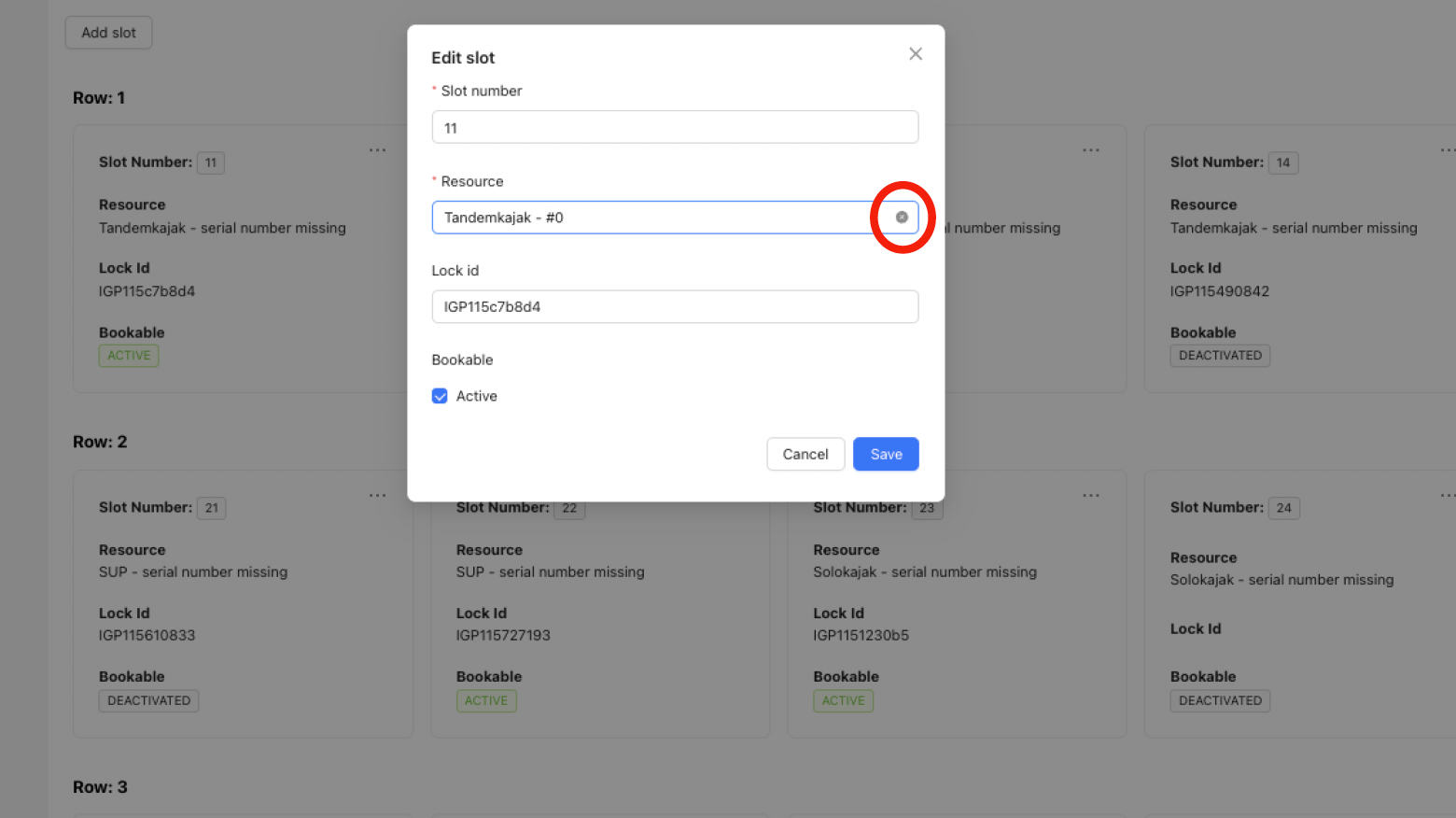
- First, you need to remove the products from the relevant slots. You do this by clicking on the three dots on the slot and “Edit”.
- On the row Resources, click on the cross that appears when you hold the mouse pointer to the right.
- Do this for all the slots that are to change position.
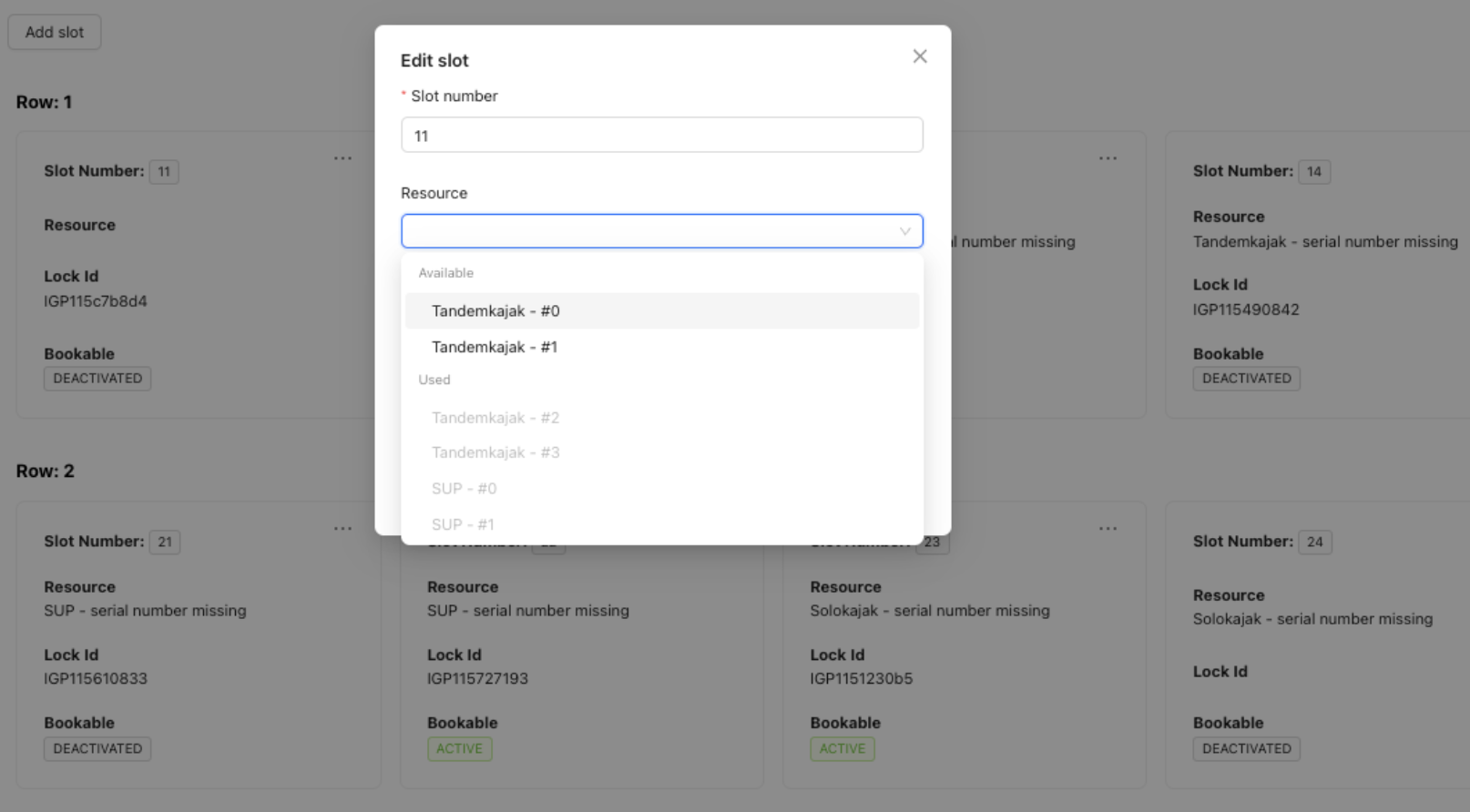
- Then you go back into each slot and all products that you removed will now appear and you can choose and put the right product in the right place.
- Don’t forget to email support to get help with changing the serial number so its the correct serial number in the right slot.
See pictures below of what it looks like.